
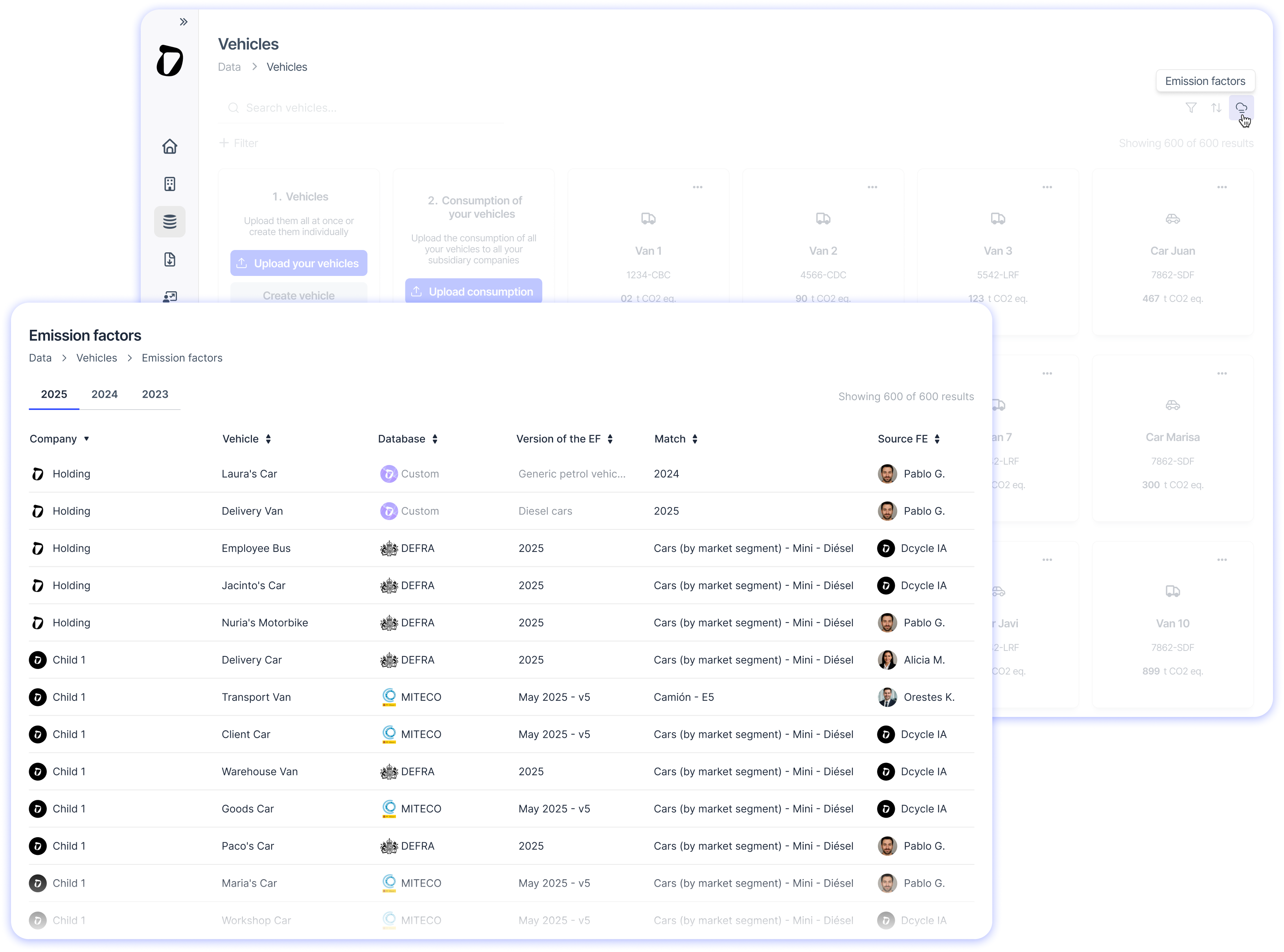
What’s changed?
• You can now see and choose which database and version you use to calculate the impact of your consumption, as well as view the exact name of the emission factor.
• DEFRA is now available! You can also set MITECO for some vehicles and DEFRA for the rest.
• Make bulk changes: filter your vehicles, select them, apply the changes… and save!
• Create yearly and bulk configurations. Use different versions by year, filter, sort, search, and select records.
• If you work in a large company with multiple organisations, you can view and configure from the holding company the emission factors applied to your vehicles and those of your subsidiary organisations.
Where you will see it?
In the Vehicles screen, click on the cloud icon ☁️ to see the configuration applied for that year.
➞ On the Vehicles screen, click the cloud icon ☁️ to see the configuration applied by year.
➞ Once inside, filter and select the vehicles you want to make changes to.
➞ If you don’t see the period you want to configure, you can create it by clicking the ➕ next to the years.
🚚 For now, this is only available for the Vehicles category.