

- North SubsidiaryPlant manager
- South SubsidiaryPeople manager
- Logistics SubsidiaryPurchasing manager
- Portugal SubsidiaryExternal email
0/4 responses
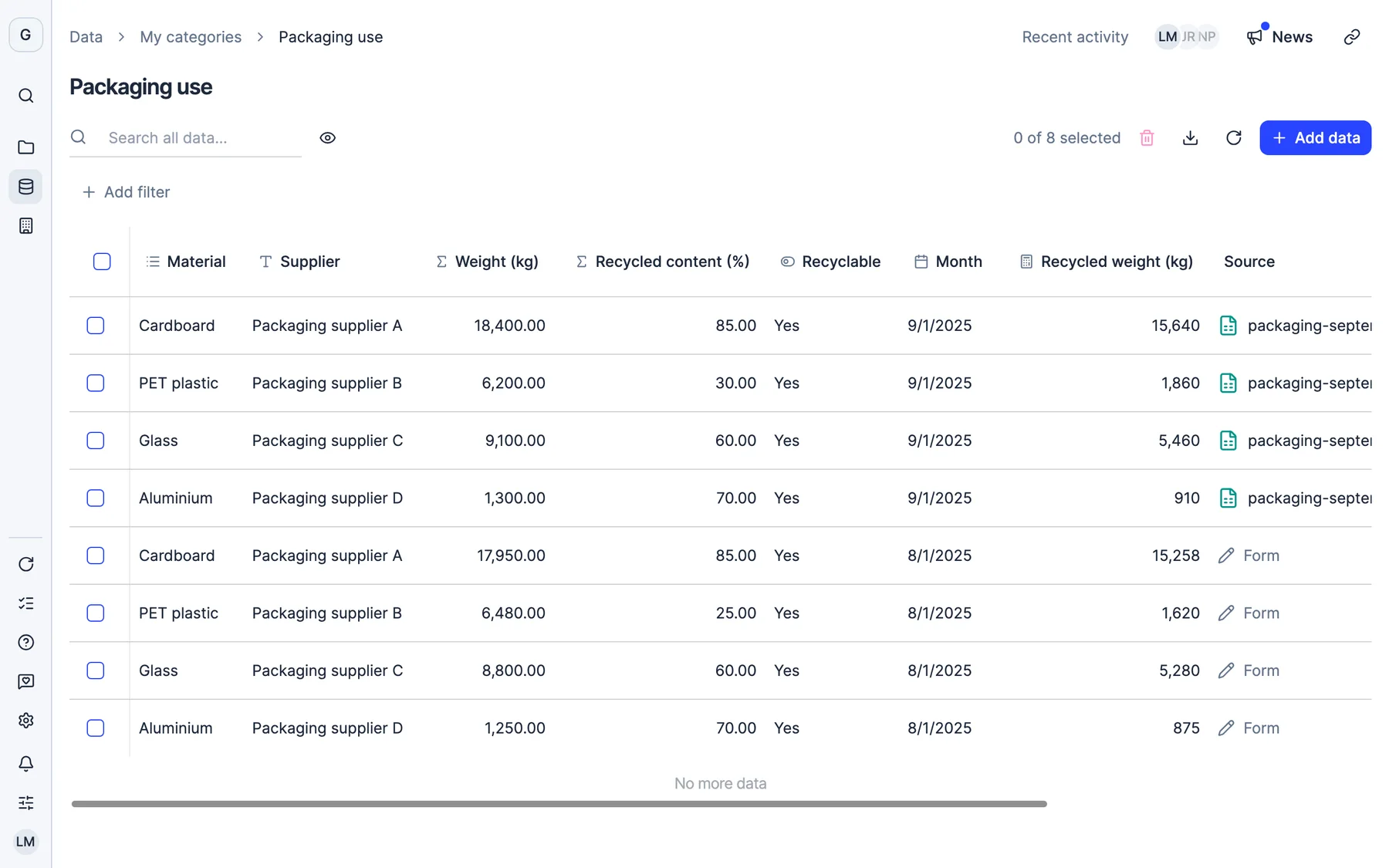
Create your own categories for any data you track, add columns to Dcycle’s and collect KPIs from your team, your subsidiaries or external people. No spreadsheet for everything else.
More than 2,000 European companies trust Dcycle






Leia reads your file, suggests the columns with their type and creates the category with its rows. Then you can add calculated columns with your own formulas.
Define the KPIs, choose who to ask, inside or outside the company, and Dcycle sends the survey and the reminders. The following year you duplicate the campaign and launch it when it is ready.
Create categories from a file or from scratch and group them into folders. Each one shows how much data it holds, and those that come from the parent company are marked as inherited.
A KPI group brings together what you ask for and its campaigns, one per period, with their recipients, their responses and the deadline.
Each recipient, with their organization, their answers KPI by KPI and their status: completed, partial or pending. From here you resend the survey or add a response.
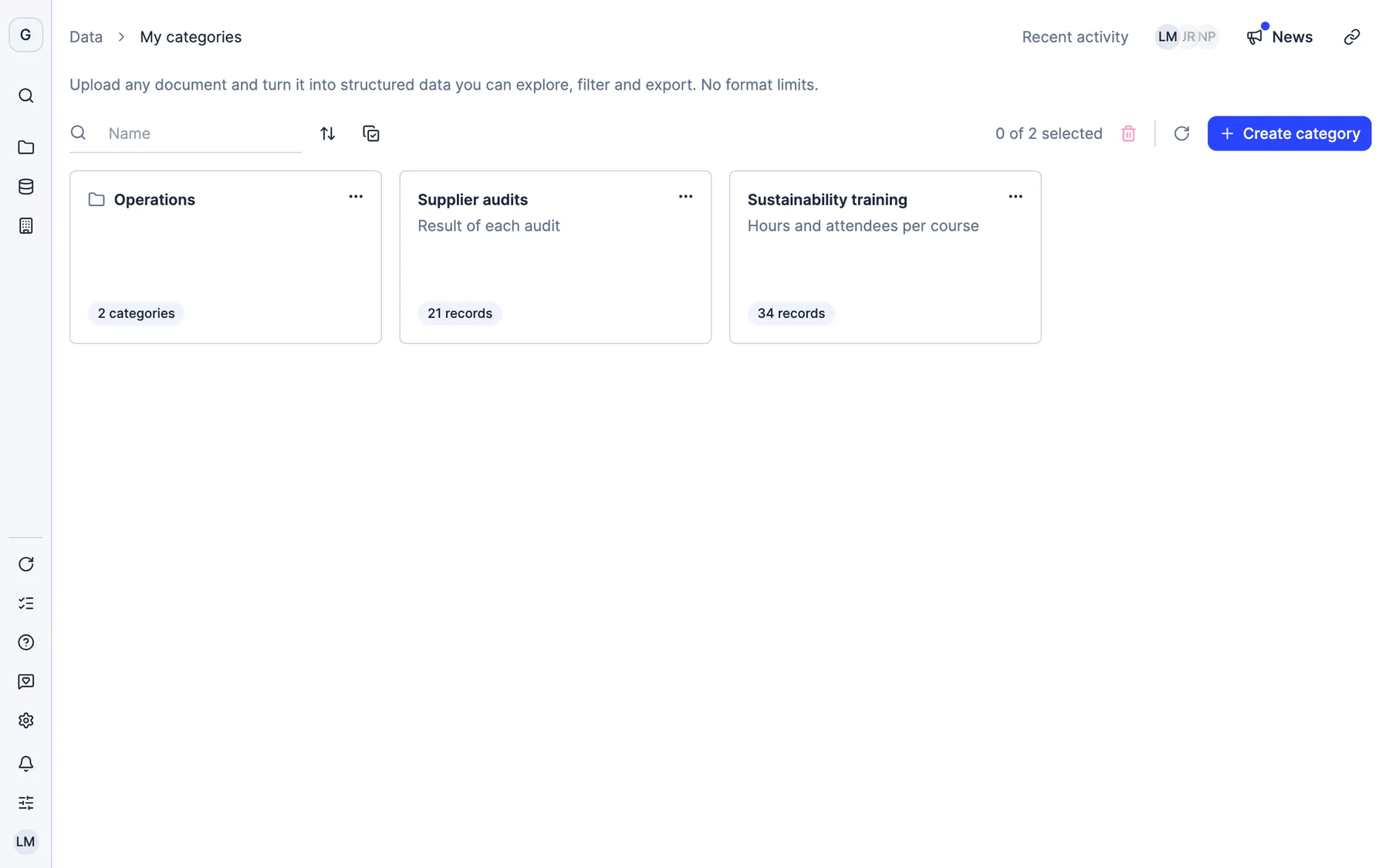
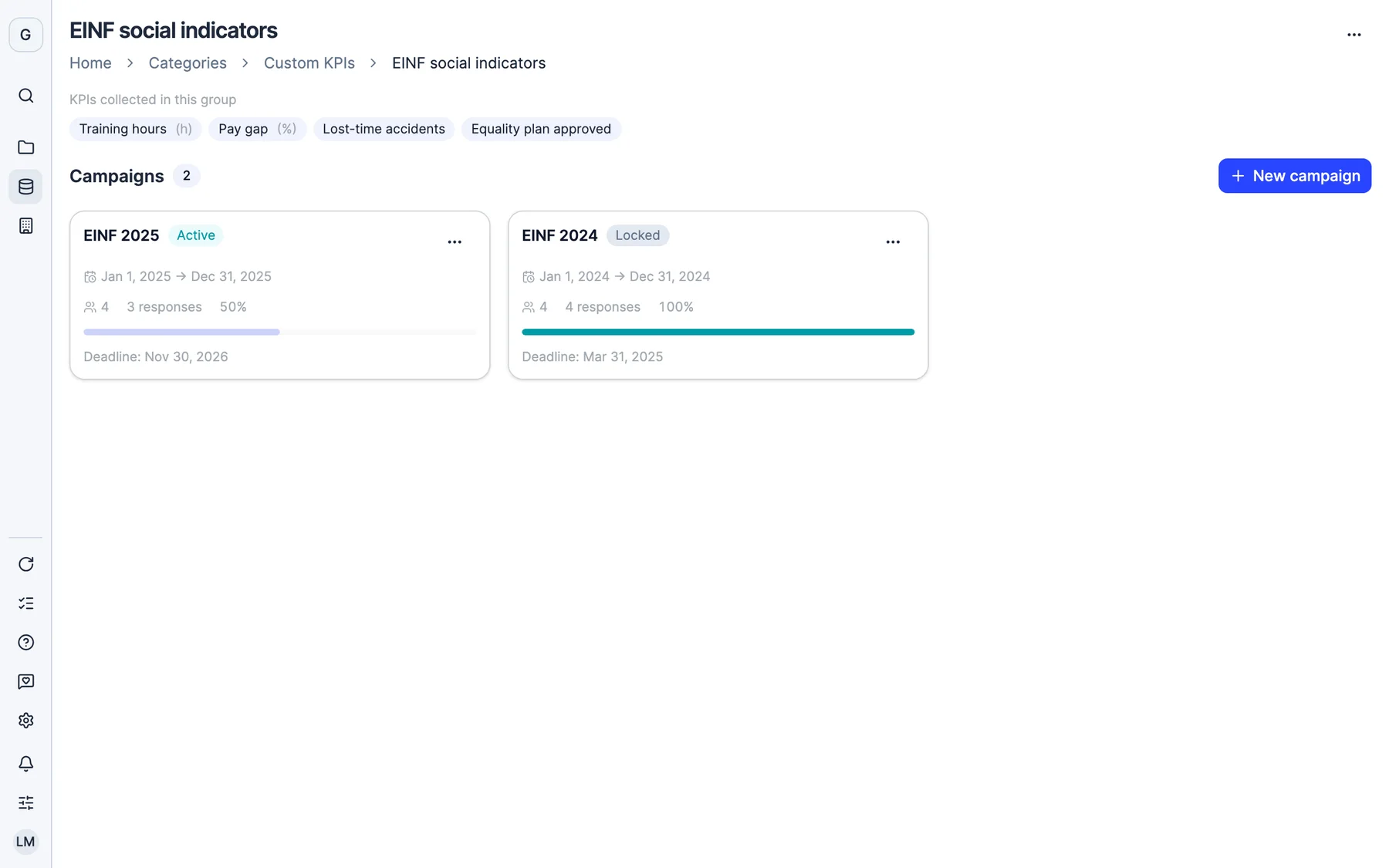
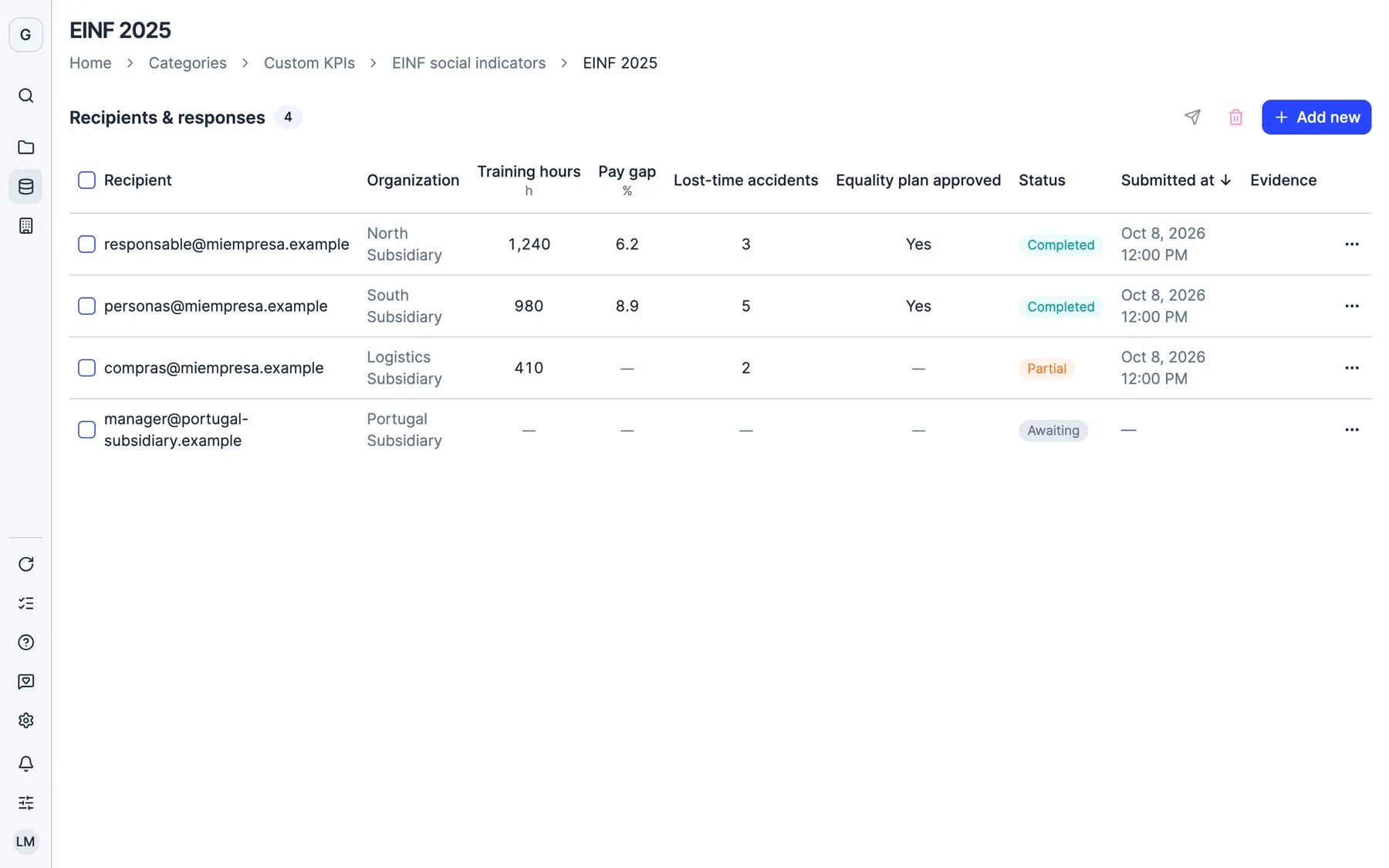
Real Dcycle screens with a sample company.
Yes. In “My categories” you create your own categories for any data you track, with the columns you need, and you can also add custom columns to Dcycle’s categories.
Text, integer, decimal, yes or no, date, date and time, selection, relation to another category, quantity and unit, user and formula, which calculates its value from the other columns in the row.
There is no need. You can create it from one or several files: Leia reads them, suggests the columns with their type and creates the category with its rows. If you prefer, you define it from scratch.
You create a KPI group with the answer type for each one (number, text, percentage, date, yes or no, or dropdown) and launch a campaign. Each recipient, internal or external, receives the survey by email and reminders before the deadline.
No. You duplicate last year’s with its recipients, adjust dates and owners, and launch it when it is ready. Until you launch it, it stays in draft and nothing is sent.
Yes. Your KPI responses and your own categories can be turned into visualizations, and formula columns and custom metrics are recalculated when the data changes.
Thirty minutes with our team. We show you how your data would come in, and what you would get out.
See Dcycle in actionWhat your session looks like



 With someone from the team who then supports you